How to add a new FTP account
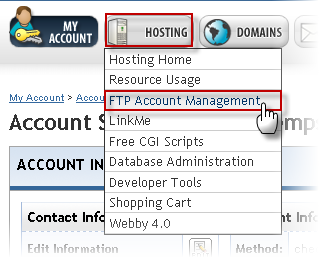
1. Select the Hosting tab from the blue menu bar then choose the option for FTP Account Management.
2. Locate the Add a New FTP Account box on the bottom of the FTP Account Management page.
3. Enter the Username and Password to the new FTP Account.
4. Enter the Directory you prefer to send files when uploaded through this FTP Account.
5. Select the Read Only checkbox to prevent user to modify files; only allow user access to read the files.
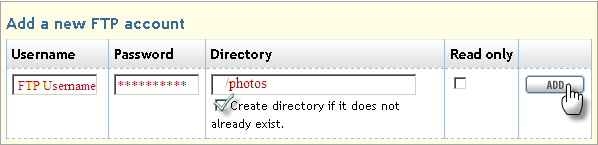
6. Select the Add button to proceed.